Disclosure: product buttons link to Amazon. As an Amazon Associate, FretCompare earns from qualifying purchases, at no extra cost to you. It never changes which products we pick, and we never show Amazon prices. Details. Our picks are editorial, built from each provider's published prices, terms and specs, not hands-on testing (how we rate). Prices and terms change, so check them before you pay.
Guitar Not Making Sound When Plugged In? Work Through These Checks in Order
Silence from a plugged-in guitar is almost always a setting or a connection, not a broken guitar. The checks below go from free and obvious to the few that need a tech. Do them in order and you will usually find it in five minutes.
Quick answer
Turn the guitar's volume knob all the way up, make sure the amp is on (and off standby), take headphones out of the amp, and swap the cable. Those four cover most silent rigs. Then bypass every pedal, and if your guitar has active pickups or a preamp, put in a fresh battery. If the amp is still silent with a different guitar and cable, the amp needs a tech. Never open an amplifier yourself.
Turn the amp volume down before you plug, unplug or wiggle anything. A loud pop can damage a speaker and your ears.
Never open an amplifier chassis. Amps can hold dangerous voltages even when unplugged. Blown fuses, tube problems and burning smells are jobs for a qualified tech.
If you smell burning or see smoke, switch off at the wall and do not use the amp again until it has been checked.
Checks on the guitar
Volume knob up. A guitar's volume knob turned to 0 is the single most common cause. Turn every volume knob fully up.
Pickup selector. On guitars with two volume knobs (such as many Les Paul-style guitars), the selected pickup's knob must be up. Try every selector position.
Kill switch or coil-split switch. Some guitars have a switch that mutes the output. Flip any mini switches back.
Output jack. Push the plug fully in. If sound cuts in and out when you wiggle it, see crackling guitar jack fixes.
Checks on the cable and pedals
Swap the cable. Cables fail inside, where you cannot see the damage. Try a known-good cable.
Bypass every pedal. Plug the guitar straight into the amp. A pedal with a dead battery or no power passes no signal, and a tuner pedal in mute mode is silent by design.
Right socket. The cable goes in the amp's Input, not Line Out, Headphones, FX Send/Return or Aux In.
Checks on the amp
Power and standby. Check the power light. Tube amps have a Standby switch: flip it to play after the amp warms up.
Every volume control up. Many amps have Gain, Volume and Master. If any one is at 0 you get silence. Check the channel you are on too.
Headphones out. Plugging headphones into the amp mutes the speaker on most practice amps.
Isolate it. Try a different guitar in the same amp, or your guitar in a different amp or a headphone amp. Whichever piece stays silent is the problem.
When it is the amp
If the amp powers on but stays silent with a known-good guitar and cable, or it will not power on at all, it is time for a tech. Do not replace fuses yourself, do not open the back panel to reach the tubes or circuit, and do not keep switching it on and off. A tech can test the fuse, tubes and speaker safely. Small solid-state practice amps sometimes cost less to replace than to repair, so ask for a quote first. Our amps guide covers replacements.
A spare cable for the swap test
If your cable is the culprit, check its warranty first. Many cable makers offer long ones. If you need a new one, this is a simple catalog pick:
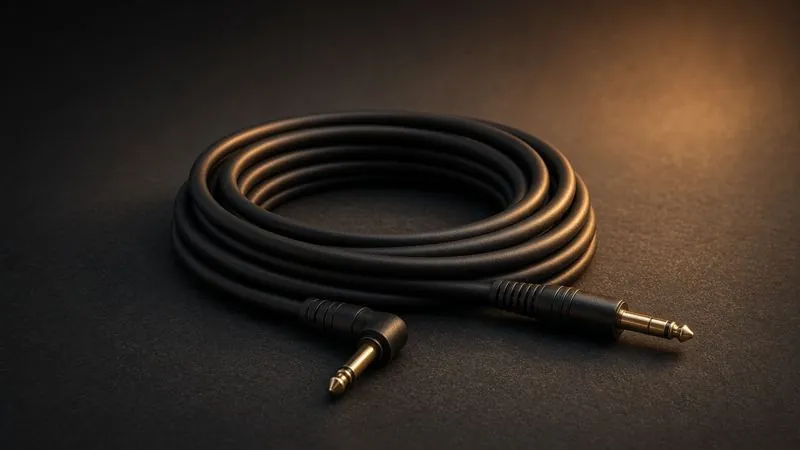
Ernie Ball Flex Instrument Cable, 10ft
Best for A spare known-good cable for the swap test - the fastest way to rule the cable in or out
10 ft straight-to-straightFlexible jacket that resists tangling (per Ernie Ball)
Check today's price on Amazon(Amazon affiliate link: as an Amazon Associate, FretCompare earns from qualifying purchases.)
Product links checked Oct 2026 against each exact Amazon listing; Amazon shows the current price. See How we rate.
Sources checked Oct 26, 2026: Fender and Boss owner manuals on standby, headphone and input jacks; Fishman preamp battery guidance; Fender support on instrument jacks.
FAQ
Why is my guitar plugged in but not making sound?
Usually the guitar's volume knob is down, the amp is on standby or set to 0, headphones are plugged into the amp, or the cable is bad. Check those first, then bypass pedals and check any battery.
How do I know if my guitar cable is bad?
Swap it for a cable you know works. If sound comes back, the old cable is bad. Crackling when you bend the cable near a plug is another sign.
Why does my amp turn on but make no sound?
Check every volume and gain control, the channel, the standby switch and the headphone jack. If a known-good guitar and cable are still silent, the amp needs a tech. Never open it yourself.
Can a dead battery stop an acoustic-electric guitar from making sound?
Yes. Most acoustic-electric preamps need a battery, and the output fades, distorts or stops as it dies. Changing it is a quick job.
Can I replace an amp fuse myself?
Leave fuses to a tech. A blown fuse usually means something else in the amp has failed, and the wrong fuse can be dangerous. Tubes are a tech job too.
How this page was made: Andrew wrote this guide from makers' manuals and support pages, listed above. Each button opens the exact Amazon listing (checked 2026-10-26), and Amazon shows the current price. How we rate
Free printable: Guitar Care & Setup Checklist - no email needed: Open the checklist.
Get the free printable songbook (PDF): 10 easy big-print songs + 7-day First Chords course - A printable PDF of 10 big-print public-domain songs and a 7-day mini practice log. Confirm your email (Kit sends a link) and your download link is in the confirmation email: download the PDF and print it at home (nothing is mailed); then one short First Chords email a day for 7 days, each with a song to play. No hype, unsubscribe anytime.
Free printable songbook PDF (10 easy big-print songs) + 7-day starter emails: see what you get.